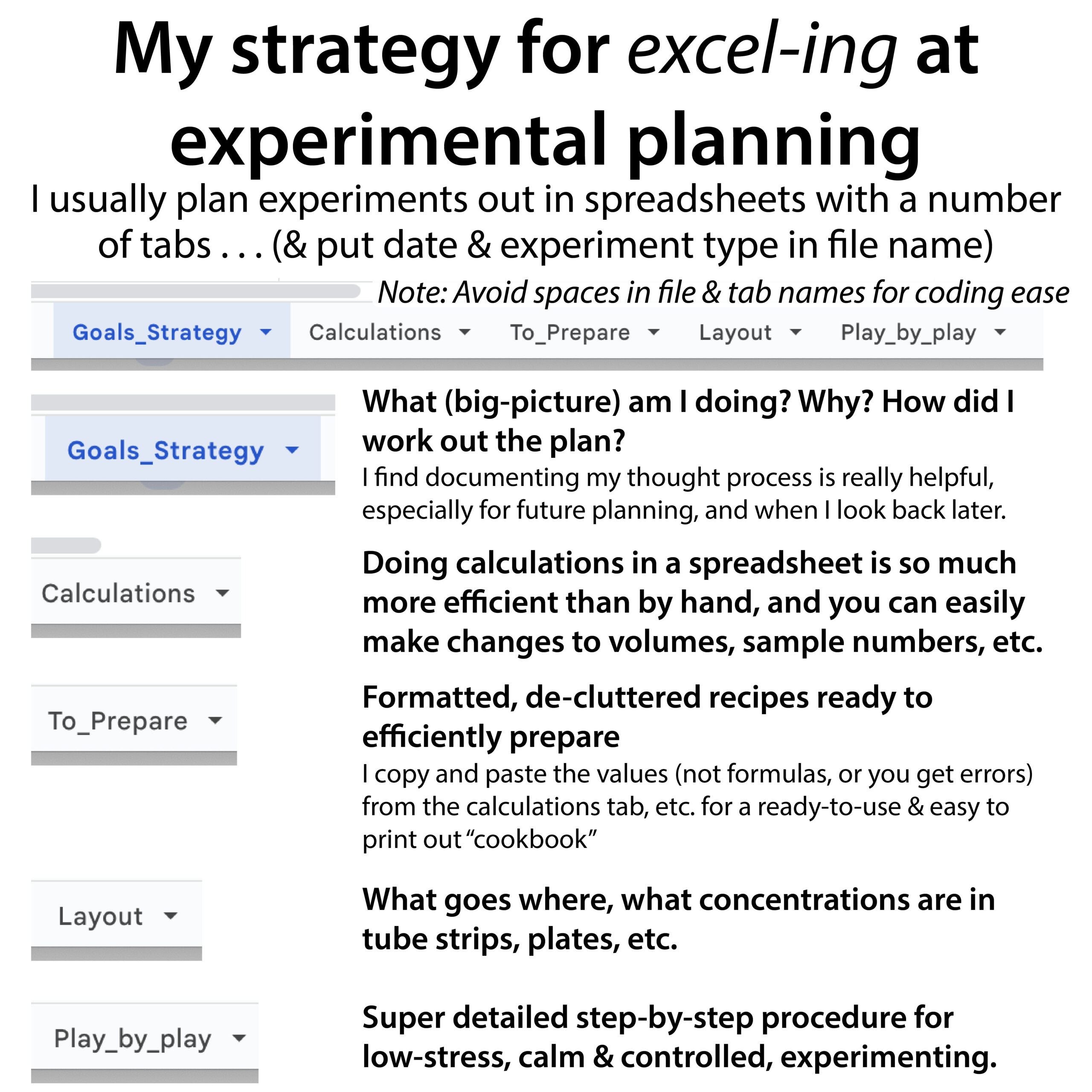
My strategy for excel-ing at experimental planning . . I usually plan experiments out in spreadsheets with a number of tabs… (& put date & experiment type in file name) Note: Avoid spaces in file & tab names for coding ease
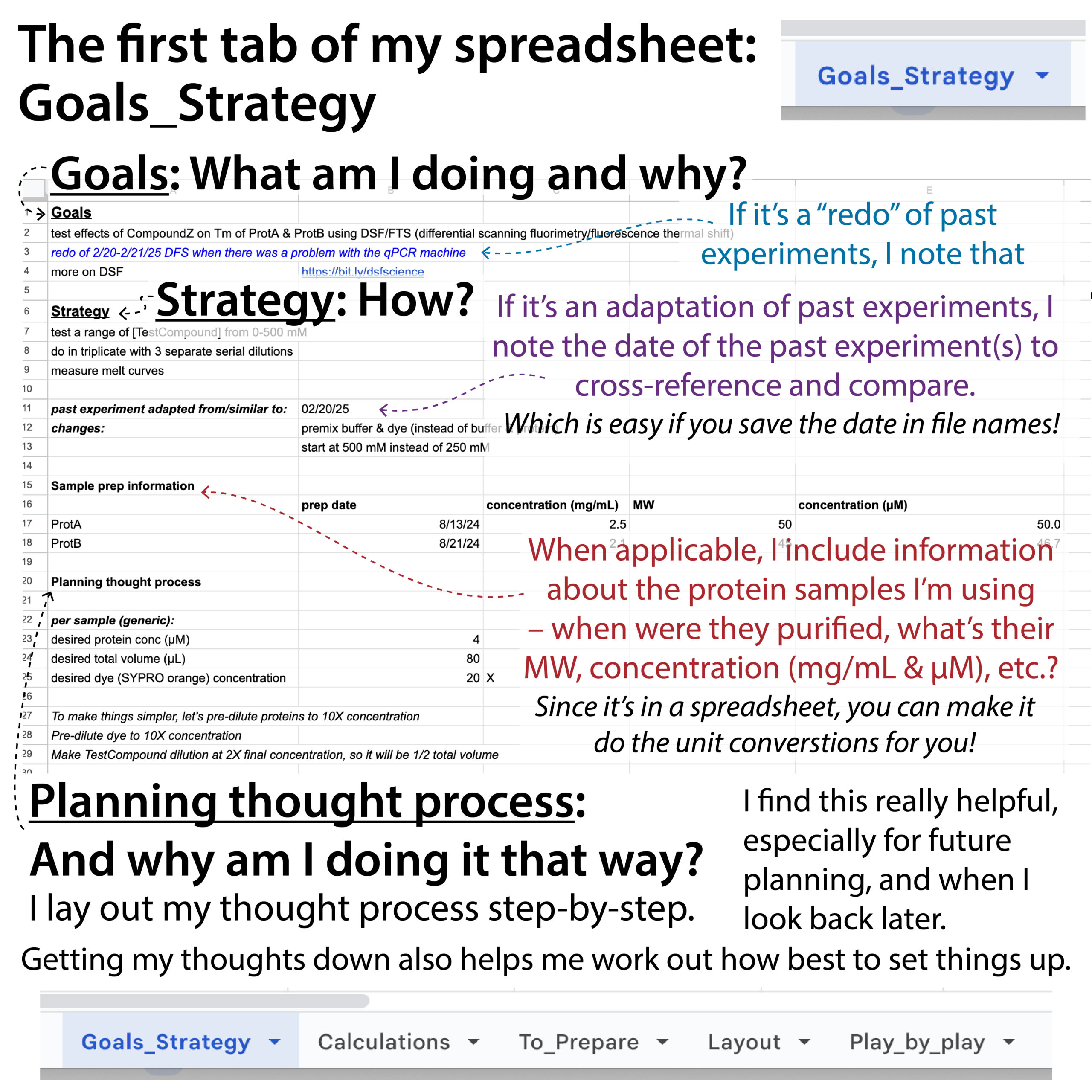
- Goals_Strategy: What (big-picture) am I doing? Why? How did I work out the plan?
- I find documenting my thought process is really helpful, especially for future planning, and when I look back later.
- Calculations
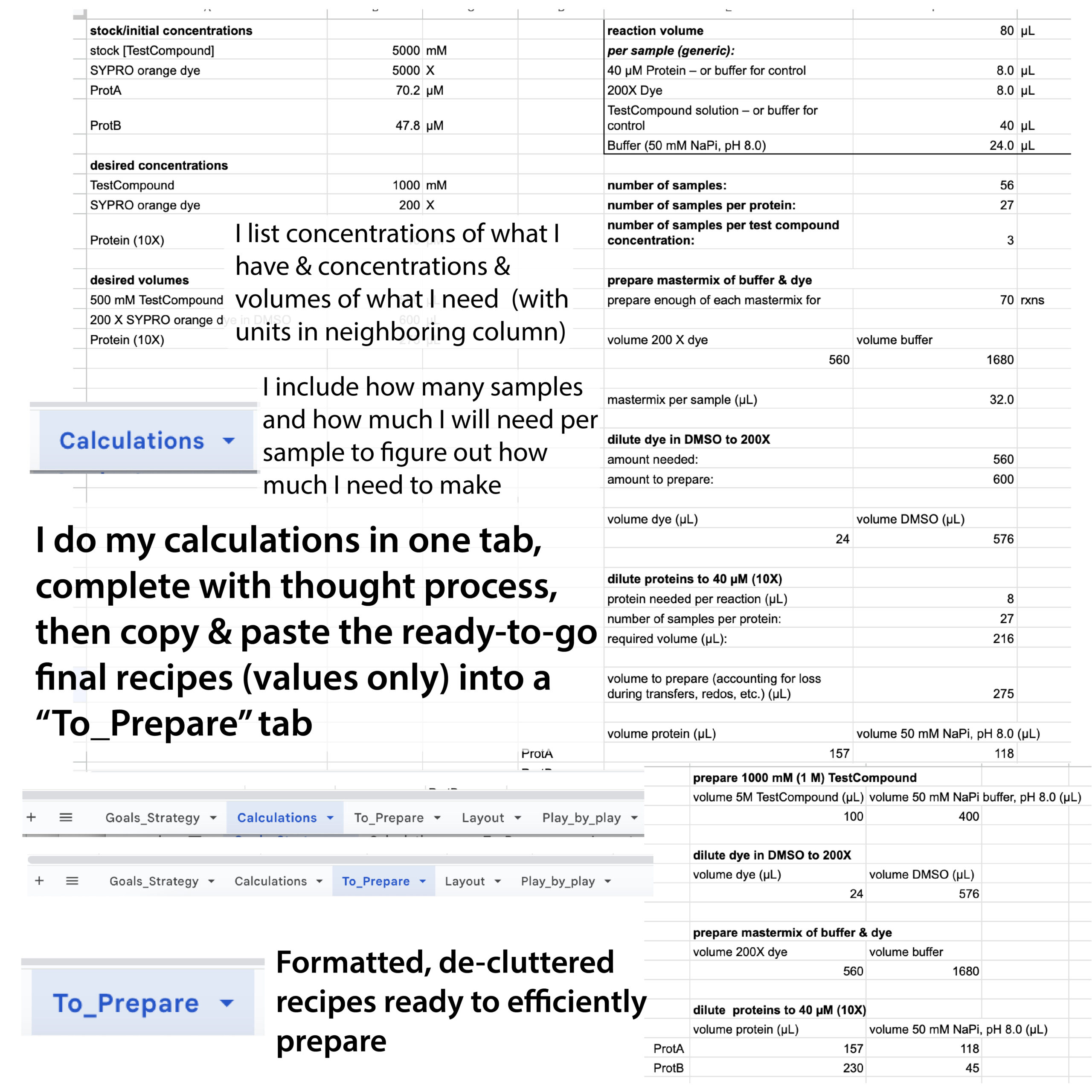
- Doing calculations in a spreadsheet is so much more efficient than by hand, and you can easily make changes to volumes, sample numbers, etc.
- To_Prepare: Formatted, de-cluttered recipes ready to efficiently prepare
- I copy and paste the values (not formulas, or you get errors. You can use command+V) from the calculations tab, etc. for a ready-to-use & easy to print out “cookbook”
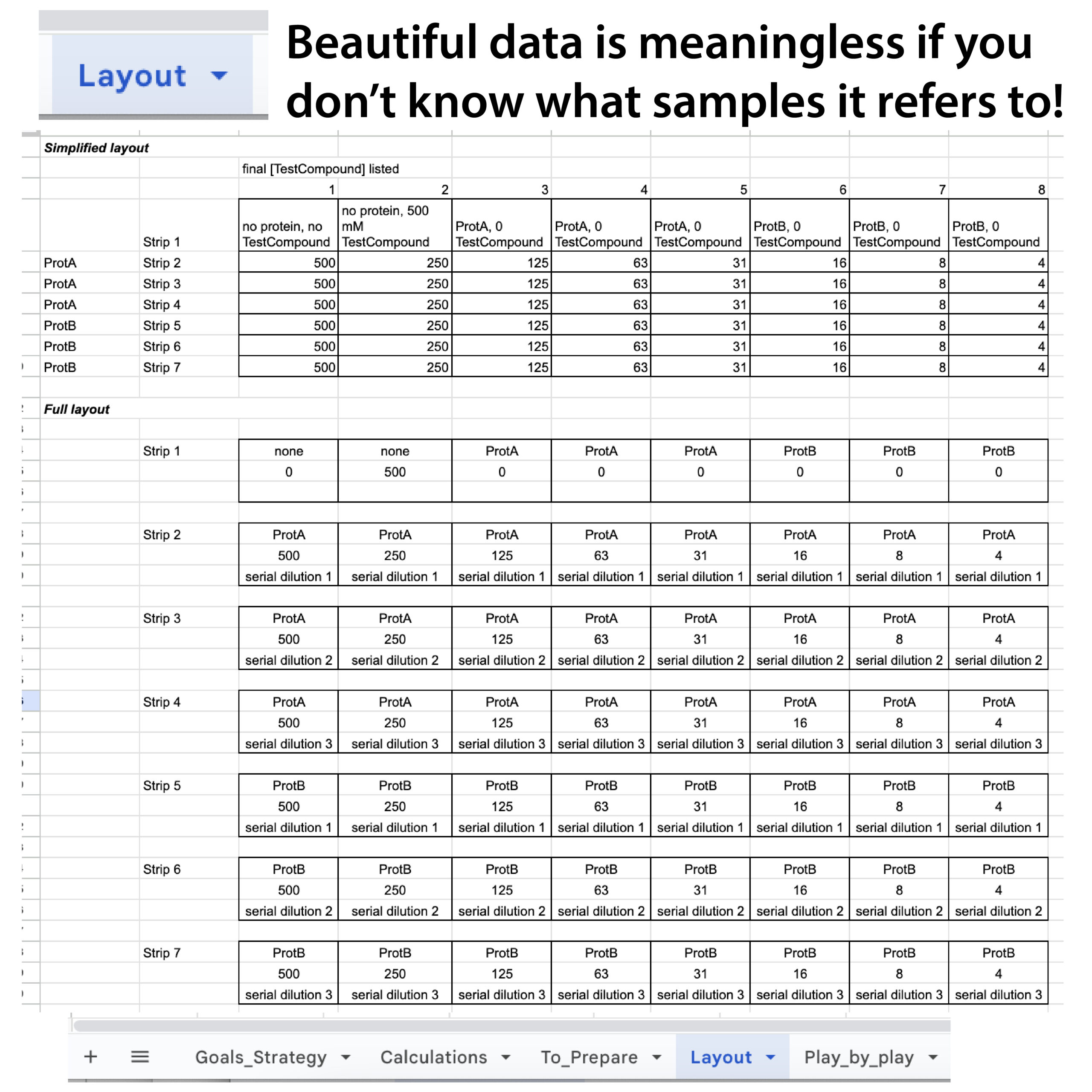
- Layout
- What goes where, what concentrations are in tube strips, plates, etc.
- Play_by_play
- Super detailed step-by-step procedure for low-stress, calm & controlled, experimenting.
A little more about the calculations tab . . .
Often, I’m using spreadsheets for dilution calculations, automating C1V1=C2V2
I make a column with Stock/Initial concentrations (C1s), Desired concentrations (C2s), and Desired volumes (V2s). Sometimes I include some molecular weights too. This lets you easily reference them in any equation, and allows all those equations to automatically update if you change them.
Include units-but in a neighboring column to allow you to use the quantities as numbers
The units can be anything, even % or X, as long as you use the same units in your calculations with those numbers.
When you want a reference to be absolute (i.e. if you drag (bottom right corner) or copy/paste a formula it will stay referencing that cell), put $ before the column letter & row number. A shortcut for this is F4. Great for when you are referencing a V2 multiple times for different components or samples, etc.
Spreadsheets are also optimal for making master mixes. If it’s something you do a lot and/or there are lots of components with decimals and stuff, you can even make a spreadsheet where you have a “per reaction” column and then a “total column” with the amounts you get if you multiply it by a “conversion factor” you can change (if you’re using excel or Google sheets, use F4 after you click on the well you want it to multiply by (the conversion factor so if you try to copy the formula it still knows where to look).
I made an example spreadsheet* to help give people a better idea of what I’ve found most effective for me when planning out experiments. https://bit.ly/experiment_spreadsheet_example
* it’s of a DSF (differential scanning fluorimetry) (aka FTS (fluorescence thermal shift)) experiment but the basic ideas can be adapted for almost anything. https://bit.ly/experiment_spreadsheet_example
And here are some PDFs of figures pointing out key features: https://drive.google.com/file/d/1EOqEtaQ2yjOXBqbDvAJyj0qttYyXXScX/view?usp=drive_link
I find planning my experiments out (at least a day ahead of time to give me time to sleep on it and take a fresh look before diving in) in detail like this helps me:
- Work through my thought processes to design the optimal experiment (or at least to my best ability)
- Keep a strong record of what I did and why which I can refer to later
- Experiment efficiently and low-stress-ly
Much more on experimental planning: https://bit.ly/experimenting_thoughtfully & https://youtu.be/R4tihl0BZcc
More here: blog form: http://bit.ly/mastermixesmultichannels ; YouTube: https://youtu.be/QQiaiERyyGo
master mix spreadsheet examples: https://docs.google.com/spreadsheets/d/1ceAc5JDILORoZkcDEJ2u6V-Bg4dmvLWI/edit?usp=sharing&ouid=110501489579733284162&rtpof=true&sd=true
more practical advice about various things: https://bit.ly/practicalposts & https://bit.ly/gradpostdocetc
more on dilution calculations: http://bit.ly/c1v1equalsc2v2
example lab calculations spreadsheet: https://bit.ly/bb_labcalcspreadsheet
walkthrough video: https://youtu.be/LsO-5VjeWsw