Pandas is a Python program that lets you work with huge (or small) dataframes (basically tables). Think Excel but less intuitive and less user-friendly but way more powerful. You can work with really huge dataframes, which can be great, but also can be hard to navigate! Or even to know what things are in them. These are just a few helpful functions, etc. to get a sense of the data you’re looking at.
link to video in case embed isn’t working: https://youtu.be/-yqUrYAXXi4
Many of these use the notation where you specify your dataframe (“YourDataFrame” in the example is whatever variable name you assign to it) and then put a dot and a function name you want to apply to it.
Viewing the dataframe
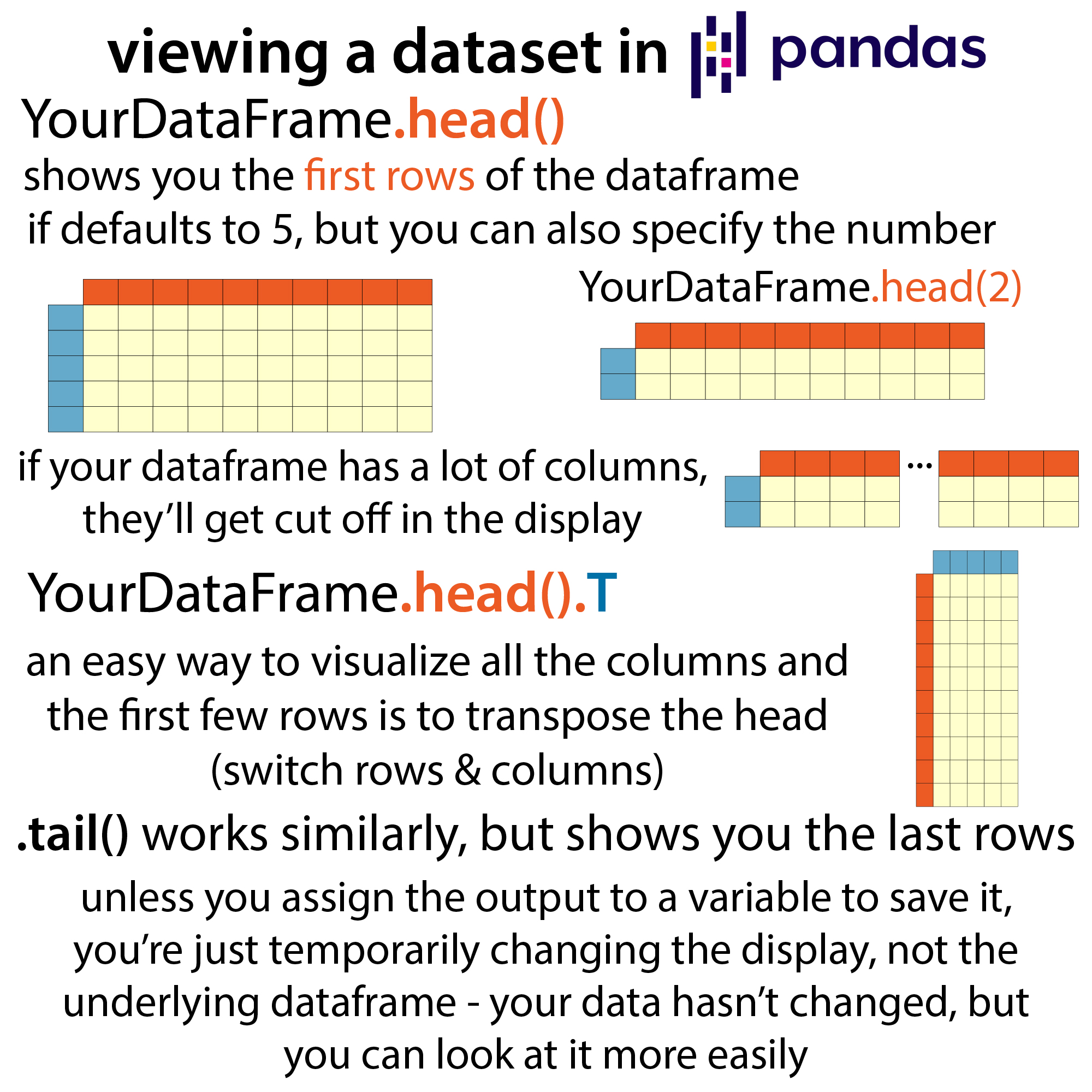
- YourDataFrame.head()
- shows you the first rows of the dataframe if defaults to 5, but you can also specify the number (e.g. YourDataFrame.head(2) will show you the first 2 rows)
- YourDataFrame.tail() works similarly, but shows you the last rows
- If your dataframe has a lot of columns, they’ll get cut off in the display, which is where this next one comes in really handy…
- YourDataFrame.head().T
- an easy way to visualize all the columns and the first few rows is to transpose the head (switch rows & columns)
- unless you assign the output to a variable to save it, you’re just temporarily changing the display, not the underlying dataframe – your data hasn’t changed, but you can look at it more easily
Summarizing what’s inside
For some summary-type stuff of what’s in your dataframe:
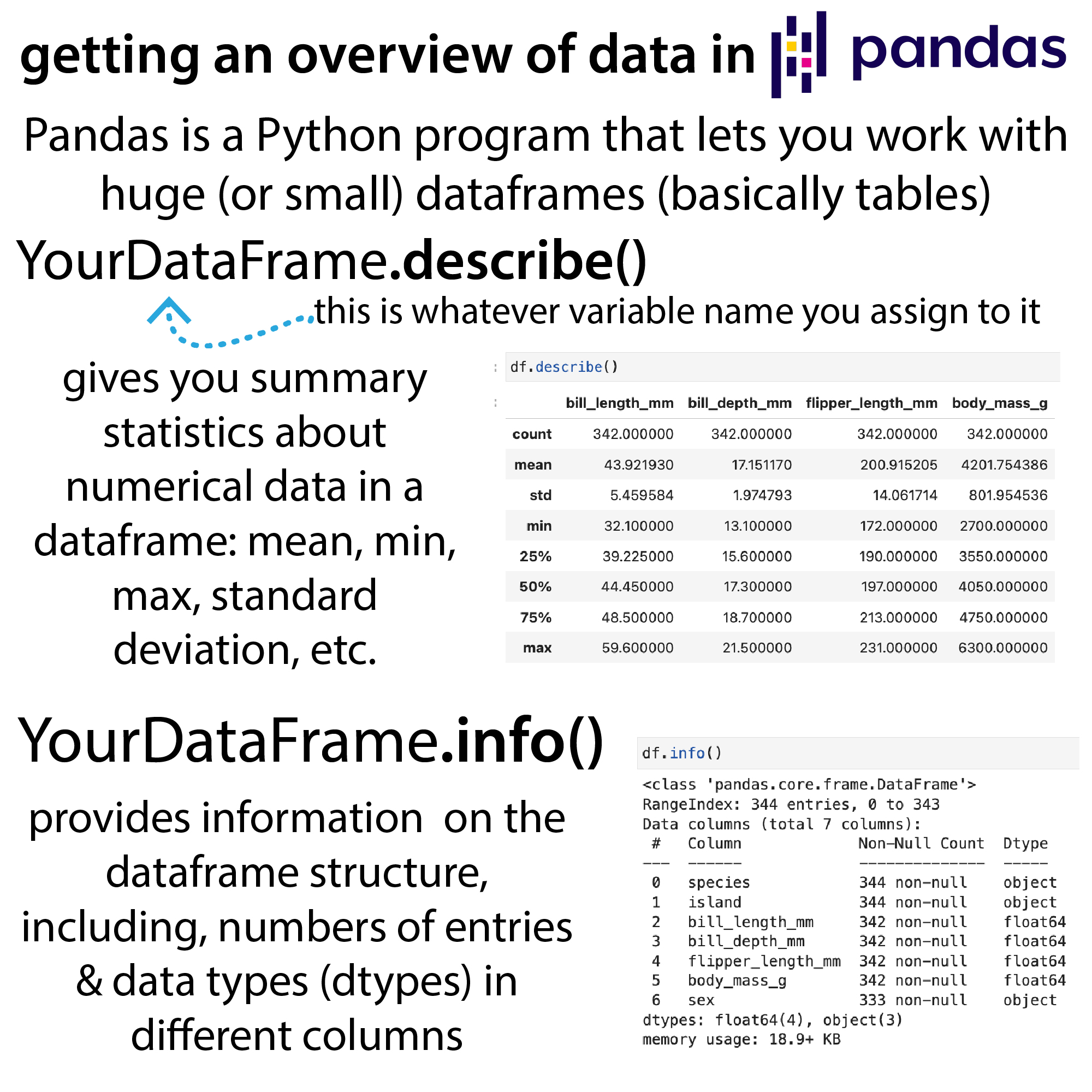
- YourDataFrame.describe()
- gives you summary statistics about numerical data in a dataframe: mean, min, max, standard deviation, etc.
- YourDataFrame.info()
- provides information on the dataframe structure, including, numbers of entries & data types (types) in different columns
Demo datasets
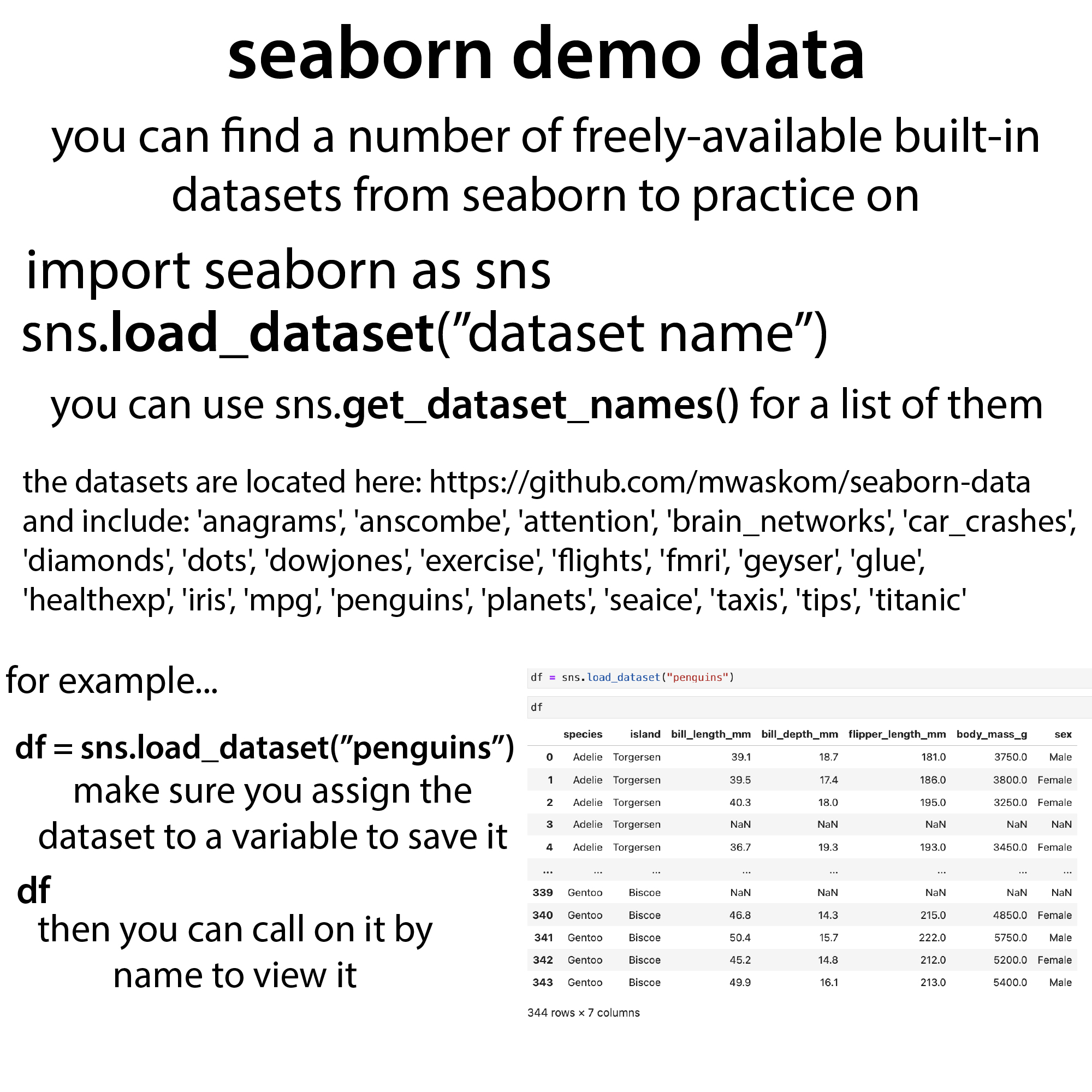
If you’re looking for dataframes to practice on, you can find a number of freely-available built-in datasets from seaborn to practice on
import seaborn as sns
sns.load_dataset(“dataset name”)
Make sure you assign the dataset to a variable to save it df – then you can call on it by name to view it.
for example…
df = sns.load_dataset (“penguins”)
(Importing seaborn as snns just makes it easier to call on it then having to type seaborn)
You can use sns.get_dataset_names() for a list of the available datasets.
They are located here: https://github.com/mwaskom/seaborn-data and include: ‘anagrams’, ‘anscombe, ‘attention’ ‘brain_networks, ‘car_crashes”, ‘diamonds’, ‘dots’ ‘dowjones, ‘exercise, ‘flights’, ‘fmri’, ‘geyser’, ‘glue, ‘healthexp’, ‘iris’, ‘mpg’ ‘penguins’, ‘planets”, ‘seaice, ‘taxis’, ‘tips’, & ‘titanic’
Note: be warned that I’m not a data scientist, I’m a biochemist learning enough data science to get by and analyze my data. So I don’t always do programming stuff optimally (and hope I didn’t make any mistakes in this post) but thought I’d share some of these tips that I’ve found super helpful.
more Python etc. tips & links to resources: https://bit.ly/bb_python_tips