“FASTA” is a file format used for protein and nucleic acid sequences. And it’s really no big deal (in the sense that it’s super easy to use and understand–it is a big deal importance-wise!). All it is is a plain text file (or a FASTA-style block of text you copy and paste) that has:
- An header/identifying line that starts with a carat (“>”) and then provides information about the following sequence (accession codes for various databases, gene and/or protein name, species it comes from, etc.) followed by:
- The corresponding sequence, using IUBMB/IUPAC conventions for 1-letter amino acid and nucleotide abbreviations, typically broken into 60-80 characters per line
There can be multiple sequences per FASTA file–they’re distinguished from one another because they each start with a carat. The header line shouldn’t have any hard returns (new line characters), but the sequence can. If you need to copy it somewhere without line breaks, here’s a quick way: https://removelinebreaks.net/
FASTA files are plain text files. They may end in a variety of extensions (.fasta, .fas, .fa, .fna, .ffn, .faa, .mpfa, .frn) but can be opened in any text editor. Different file extensions may correspond to different sequence types (i.e. nucleic acids, proteins, multiple proteins), but the main ones are generic: .fasta, .fas, .fa. There’s also fastq which has sequencing quality info. I dealt with those a lot during my postdoc
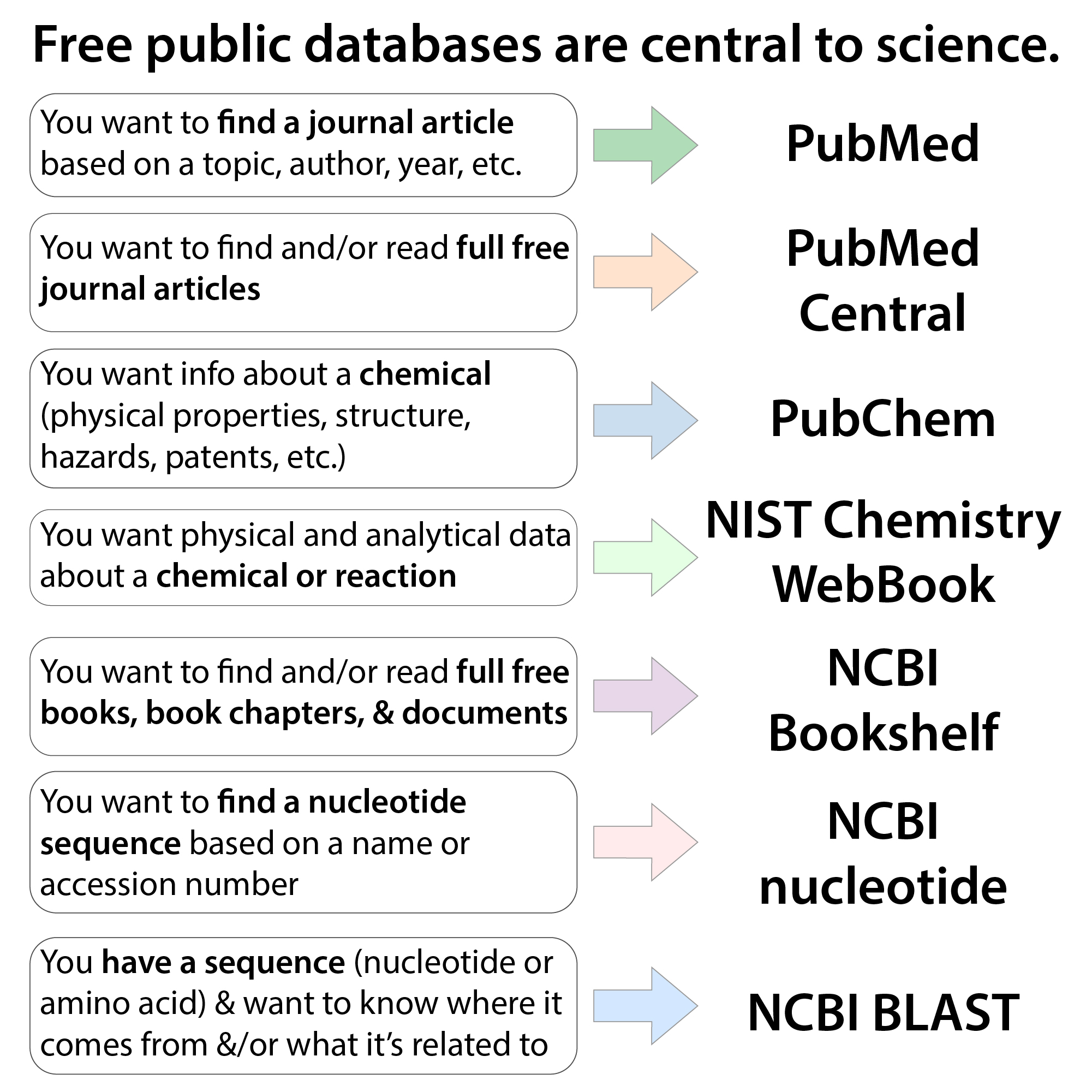
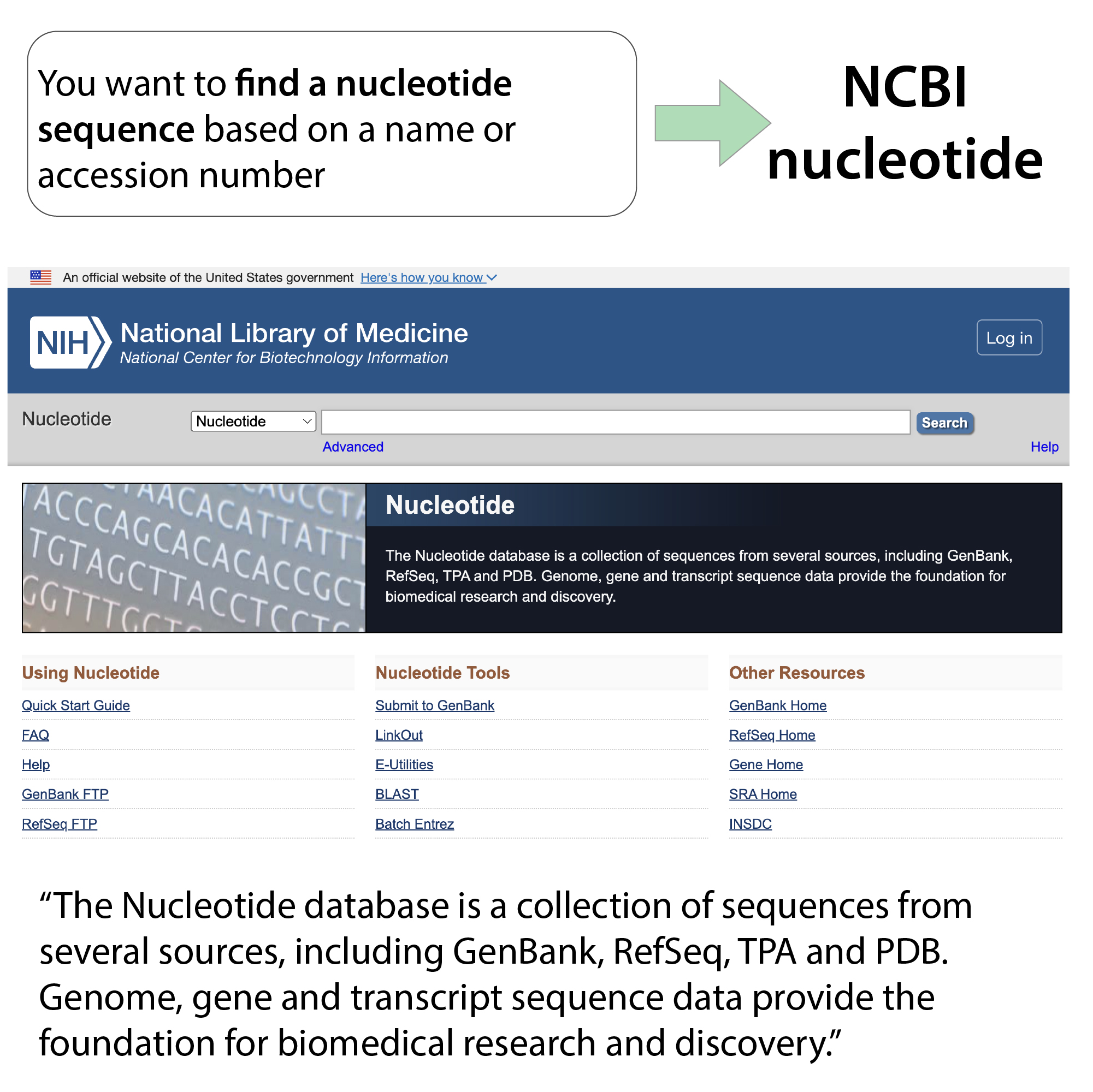
You can download FASTA sequences for proteins from UniProt and for nucleic acids from NCBI Nucleotide and associated databases (GenBank, RefSeq, etc.). The download buttons are in various places in the nucleic acid databases, but often on the upper right of an entry.
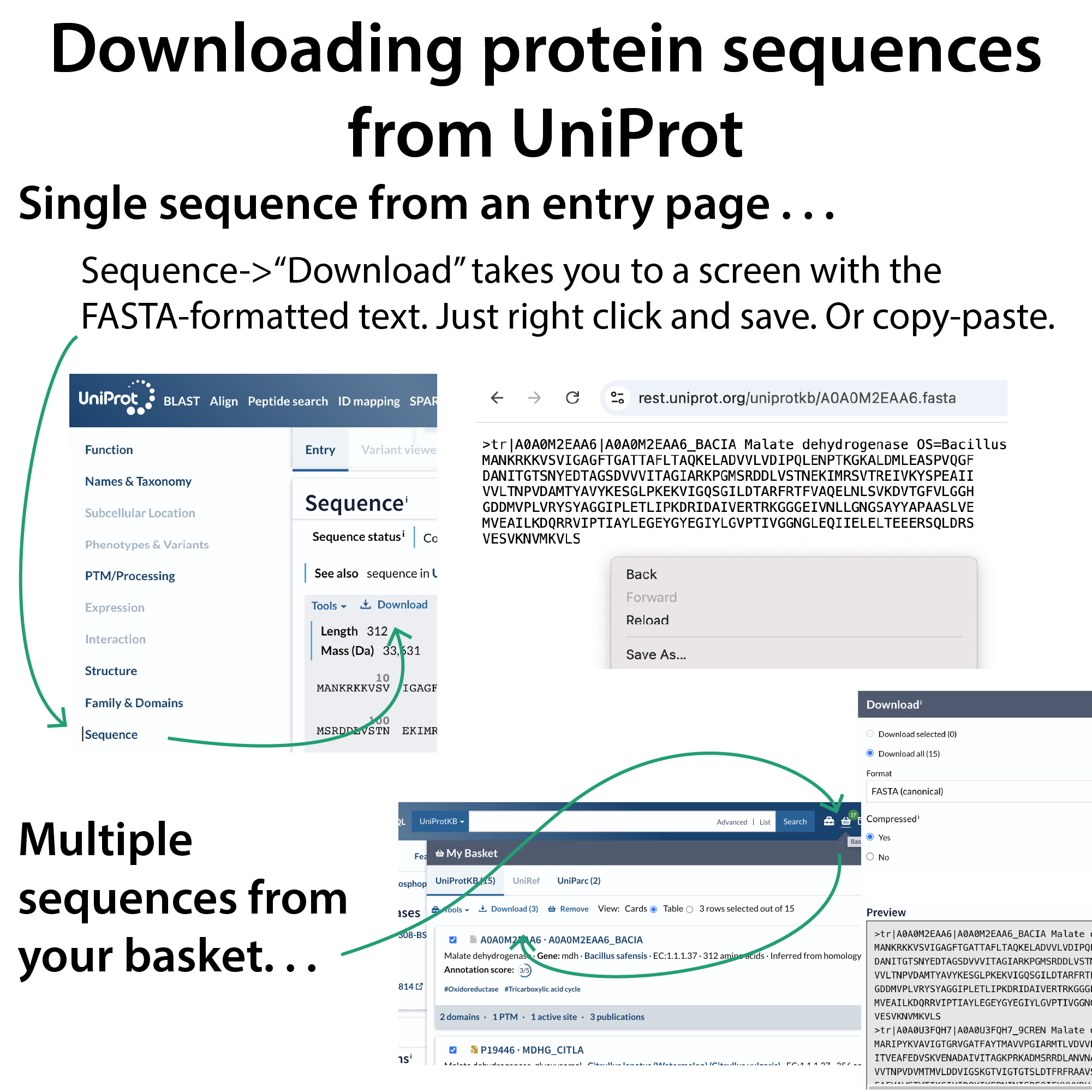
From UniProt, when you’re on an entry page, go to the Sequence Selection and you will see a button that somewhat confusingly says “Download.” I say confusingly because, instead of downloading something, it takes you to a screen with the FASTA-formatted text. Just right click and “Save As” if you want to download it, or you can copy and paste it somewhere you desire, which is often enough. Alternatively, you can download multiple sequences from your basket.
You can make any sequence* into FASTA format by adding a carat-ed line above it with a name or description of your choice.
*Following IUBMB/IUPAC conventions for 1-letter abbreviations. This includes:
For proteins:
X = any amino acid residue
* = translation stop
– = gap (indeterminate length)
For nucleic acids:
N = any nucleotide residue
Y = pYrimidine (C, T, or U)
R = puRine (A or G)
K = G, T, or U (bases that have Ketones)
M = A or C (bases with aMino groups)
– = gap (indeterminate length)
some other weird ones too, but Wikipedia has a nice table: https://en.wikipedia.org/wiki/FASTA_format#Sequence_representation
When you get a sequence from a database, however, there will be more information in that header line.
For UniProt (UniProtKB), the header line will follow the following format:
>db|UniqueIdentifier|EntryName ProteinName OS=OrganismName OX=OrganismIdentifier [GN=GeneName] PE=ProteinExistence SV=SequenceVersion
note: the GeneName is optional and isn’t actually bracketed
It starts with telling you which database it’s coming from. UniProtKB (UniProt Knowledgebase) consists of 2 databases: UniProtKB/Swiss-Prot (abbreviated sb) and UniProtKB/TrEMBL (abbreviated tb). Basically,
sp: Swiss-Prot – manually curated (more reliable, more info, often something people have actually experimented with a lab)
tr: TREMBL – auto curated (less known, be more cautious, most stuff from less-studied organisms is here)
Much more here: https://www.ebi.ac.uk/training/online/courses/uniprot-quick-tour/the-uniprot-databases/
Then it gives you some identifying information, followed by a weird one, “Protein Existence.” Basically, when something pops up in nucleic acid sequencing data, it might seem like it’d make a protein but no one’s actually seen it. That could just be because no one’s cared to look (and/or had tools to do so) or it could be because it isn’t actually a functional protein.
PE = protein existence (# from 1 (most) to 5 (least) evidence it exists)
UniProt scores PE this way:
1. Experimental evidence at protein level (people have detected the actual protein)
2. Experimental evidence at transcript level (people have sequenced the mRNA)
3. Protein inferred from homology (its sequence is similar to proteins known to exist)
4. Protein predicted (it has a reasonable open reading frame near a predicted ribosome binding site (RBS), etc.)
5. Protein uncertain…
more here: https://www.uniprot.org/help/protein_existence
For example, compare the heading lines for two of the proteins I work with
>tr|A0A0M2EAA6|A0A0M2EAA6_BACIA Malate dehydrogenase OS=Bacillus safensis OX=561879 GN=mdh PE=3 SV=1
>sp|P49814|MDH_BACSU Malate dehydrogenase OS=Bacillus subtilis (strain 168) OX=224308 GN=mdh PE=1 SV=3
The top one comes from the trEMBL database, so it’s only auto-curated, and it only has protein existence evidence at the level 3, indicating it’s only inferred from homology.
That homology might be to the bottom entry, which is coming from the SwissProt database, so it’s manually curated, and it has a PE score of 1, telling us that the corresponding protein has actually been experimentally detected.
Note too that, for bacteria, the strain information may be given when available.
Things are slightly different for isoforms and UniRef entries, so I will direct you here for more information: https://www.uniprot.org/help/fasta-header
I’m not going to go into the header lines of nucleic acid FASTA files, but here are some great resources with that info:
https://blast.ncbi.nlm.nih.gov/doc/blast-topics/ & https://en.wikipedia.org/wiki/FASTA_format#NCBI_identifiers
The description line can be great if you want all that info. But, it has a lot you may not need for your purposes (e.g. alignment). And often makes it hard to know what you’re looking at, especially since the accession codes are what you see first.
So, you can change the description line to give things custom names, remove extra info, etc. to simplify things
For example:
>tr|A0A0M2EAA6|A0A0M2EAA6_BACIA Malate dehydrogenase OS=Bacillus safensis OX=561879 GN=mdh PE=3 SV=1
can easily become
>MDH_Bsaf
and
>sp|P49814|MDH_BACSU Malate dehydrogenase OS=Bacillus subtilis (strain 168) OX=224308 GN=mdh PE=1 SV=3
can become
>MDH_Bsub
PS: If you’re wondering what FASTA stands for, it’s FAST-All, a software program that works with both the programs FAST-P (for protein alignment) and FAST-N (for nucleotide alignment). These programs were developed by William Pearson and Daniel Lipman (papers below).
Lipman, D. J.; Pearson, W. R. Rapid and Sensitive Protein Similarity Searches. Science 1985, 227 (4693), 1435–1441. https://doi.org/10.1126/science.2983426.
Pearson, W. R.; Lipman, D. J. Improved Tools for Biological Sequence Comparison. Proc Natl Acad Sci U S A 1988, 85 (8), 2444–2448. https://doi.org/10.1073/pnas.85.8.2444.
The FAST part, from what I can find, just means it’s fast, it isn’t an acronym: https://www.reddit.com/r/bioinformatics/comments/17rj25k/fasta_stands_for_fastall_but_that_begs_the/
More resources:
You can do various manipulations using the sequence manipulation suite: https://www.bioinformatics.org/sms2/about.html
Really great info about the person we have to thank for the 1 letter amino acid codes, Dr. Margaret Oakley Dayhoff (who was trying to reduce the size of data files) and why she chose what she did: Dr. Margaret Oakley Dayhoff, The Biology Project, Department of Biochemistry and Molecular Biophysics, University of Arizona, August 25, 2003: http://www.biology.arizona.edu/biochemistry/problem_sets/aa/dayhoff.html
How Margaret Dayhoff Brought Modern Computing to Biology by Leila McNeill, Smithsonian Magazine, 04/09/19: https://www.smithsonianmag.com/science-nature/how-margaret-dayhoff-helped-bring-computing-scientific-research-180971904/
Wikipedia has a nice page on FASTA format with more about nucleic acid headers: https://en.wikipedia.org/wiki/FASTA_format
FASTA and FASTQ: A Guide to Key File Formats for Sequencing Data by Benjamin Atha, SEQanswers, 05/02/23: https://www.seqanswers.com/articles/324495-fasta-and-fastq-a-guide-to-key-file-formats-for-sequencing-data
FASTQ File Format: Understanding the FASTQ & QSEQ Raw Sequencing Formats, Zymo Research:
https://www.zymoresearch.com/blogs/blog/fastq-file-format?srsltid=AfmBOoo481AH4FXhtlfc0pRZiplHrZpWRTi1c1bomwIFsaZeoQGcoWmQ
More on UniProt: blog: https://bit.ly/uniprotprotparam ; YouTube: https://youtu.be/f75f6QCe1gA
More on databases and when & how to use them here: https://bit.ly/databases_guide ; YouTube: https://youtu.be/ZyLOWqZazgc